The demos artists send us are often very loud, around −5 or −6 LUFS. So when an artist compares the mix with the original, they can be surprised that the mixed and mastered version sounds quieter than their demo.
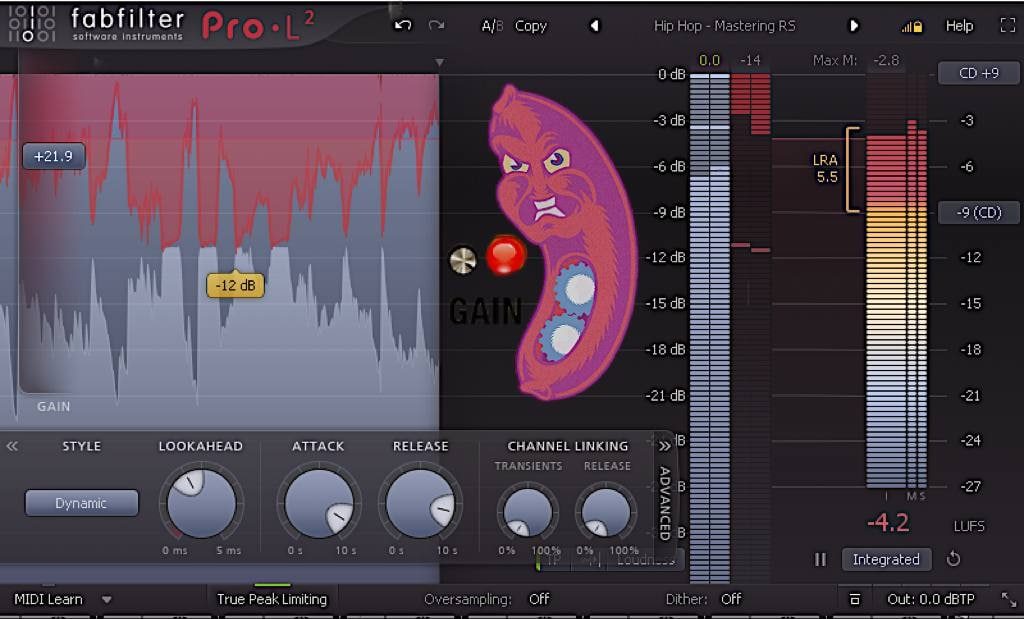
Why does the demo sound louder than the mix?
The squashed version definitely has its upsides:
- It's loud.
- Distortion from heavy clipping can sound interesting and make the track more energetic and crunchy.
- Heavy limiting creates pumping that can sound like sidechain compression: the kick and bass jump forward and push the other instruments back.
But it has plenty of downsides too:
- Under heavy limiting the stereo image changes in uncontrolled ways and narrows on the biggest peaks. Stereo width strongly affects how loud a track feels, so when it narrows, the track seems quieter.
- Clipping distortion that sounds nice on monitors can sound unpredictably bad on other devices and in lossy formats. You hear it most on devices with no low end, like phones and cheap speakers.
- The limiter tries to make up for a poor instrument balance, clamps down nonstop and flattens the peaks the track needs, the attacks of the drums and other dynamic instruments. A track without transients turns into mush.
How to beat the demo
When we mix, the goal is to keep the upsides of the squashed version and lose the downsides. That takes subtler approaches:
- Crunch on the kick can come from a separate sample. That gives the feel without losing the transients.
- The pumping can come from the right sidechain on specific instruments.
- Loudness can come the classic way: a good instrument balance, peak control on the groups and a well-built stereo image.
That keeps the demo's character without sacrificing clarity and width. We build loudness in while mixing: we mix into a limiter, meaning we get the balance first and then add a limiter doing 2–3 dB of gain reduction. If a squashing limiter has already eaten the kick's attack, you can get it back, which is a topic of its own.
Do you need to export at −14 LUFS?
"You always have to export at −14 LUFS because that's what the platforms require" is one of the most popular myths among engineers. We took it apart in our video "Busting myths about sound" (in Russian). Yes, Apple asks for quiet masters, but a lot of engineers just laugh it off and keep exporting loud, as loud as they and the artist want. It's great if you can get high loudness without losing width and dynamics. And in jazz, classical, sometimes rock and folk, chasing loudness isn't worth it at all: dynamics matter there.
Loudness is a creative decision, like choosing the space or the tone of a vocal. Back a dubstep track off to −15 LUFS and Skrillex stops being Skrillex: it's a different piece of music, because loudness is part of the arrangement and of the artist's vision.
Here's what Spotify itself says in its help article on loudness normalization:
- tracks are brought to −14 LUFS (ITU 1770 standard) only on playback; the file itself isn't touched on upload;
- a loud master is turned down to −14 LUFS, and no extra distortion is added;
- a quiet master is turned up, but with the headroom in mind: a track at −20 LUFS with a true peak of −5 dBFS only gets lifted to −16 LUFS;
- the web player and third-party devices like TVs and speakers don't normalize;
- Premium listeners can choose a level: Loud (−11 LUFS, with a limiter), Normal (−14) or Quiet (−19).
In its mastering tips, Spotify does suggest targeting −14 LUFS integrated with a true peak no higher than −1 dBTP, but that's advice, not a requirement: for louder masters it only asks you to keep the true peak below −2 dBTP, so no extra distortion appears when the file is encoded for streaming. So Spotify will accept a louder master and turn it down on playback. But that won't bring back the transients and width lost to squashing.
Compare only at the same loudness
Louder almost always sounds better, so a before-and-after comparison without matching levels proves nothing. We put loudness matching in L, "legendary", our top tier.
FAQ
Why does my track sound quieter on Spotify than in my DAW?
Spotify normalizes loudness on playback: masters louder than −14 LUFS are turned down to that level. If the track was heavily squashed, after normalization it has no loudness advantage left, and the lost transients and width don't come back.
Can I export a master louder than −14 LUFS?
Yes. Spotify will accept it and turn it down on playback. For masters like that, Spotify advises keeping the true peak below −2 dBTP so encoding for streaming doesn't add distortion.
Why does a squashed track sound bad on a phone?
Clipping distortion that sounds nice on monitors behaves unpredictably on devices with no low end and in lossy formats. On top of that, the limiter flattens the drum attacks, and a track without transients turns into mush.