Some beginner artists think the more extra vocal tracks they record, the better the result. It often works the other way around: the vocal gets muddy, and instead of a nice, thick vocal stack you get mush where you can't make out the words.
How do you record backing vocals so you don't have to rescue them in the mix?
- While you're still working on the song, ask yourself whether it needs backing vocals at all. If they get in the way of the lead during recording, mixing won't help them much.
- Rehearse the song well so you hit the timing and the notes of the lead vocal when you record.
- Stand a little further from the mic than for the lead vocal. The voices will naturally sound more "distant", and less sibilance gets into the mic, so you won't have to tame it in the mix.
- Set up the headphone mix properly, so you can comfortably hear your voice, the beat and the click. A bad balance between the voice, the track and the click can throw a singer off and make it hard to hit the notes and the rhythm.
Step 1: editing
If mistakes did happen during recording, the rest of the work comes down to bringing the less-than-perfect tracks as close to ideal as possible. We usually start editing backing vocals by tightening their timing to the lead vocal. It's long, tedious work, but worth it. The vocal becomes much more solid and dense, and with the backs panned wide, the difference between the left and right channels doesn't stick out as much.
Editing doubles is a headache for every engineer. For doubles to sound wide, every syllable has to line up with the lead vocal. Otherwise, once they're panned, bits of syllables and sibilants keep popping up in one ear or the other.

There's a trick that makes this much faster and better. Say the track has one lead vocal and two doubles, left and right:
- Pan the left double hard left (50L) and the right one hard right (50R).
- Route all the vocal tracks to a group and put OTT on it: a multiband compressor with extreme settings. Instead of OTT you can use a regular compressor with the threshold pulled way down.
- Add a stereo analyzer to the group, such as iZotope Insight, to watch the stereo field.
- Edit the doubles until you run out of doubles (or patience) :) Now even the slightest timing mismatch is very obvious.
- Turn off the compressor and pan the vocals where you want them. You can leave them at 50L and 50R, but you often don't need stereo that wide.
Hard panning and a compressor on extreme settings expose every editing mistake at once, and the analyzer on the group helps you get the left and right doubles perfectly balanced in level.
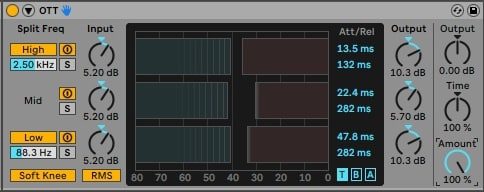
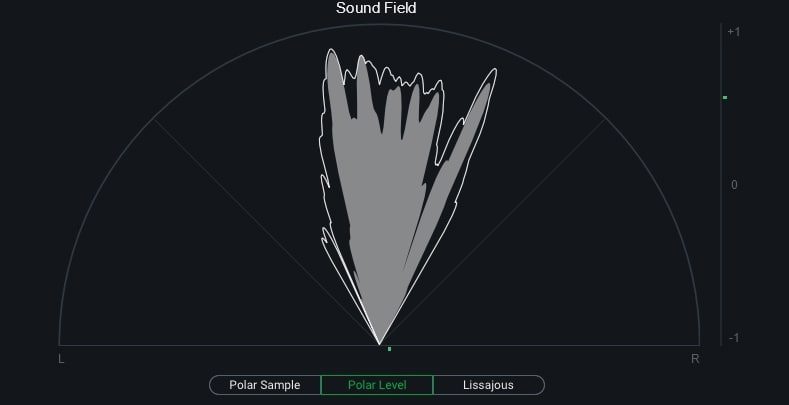
But in pop, where the backs sit right up against the lead and the stacks are big, you still can't line everything up by hand: that's where automatic alignment like VocAlign comes in (A in our tier list).
Step 2: tuning
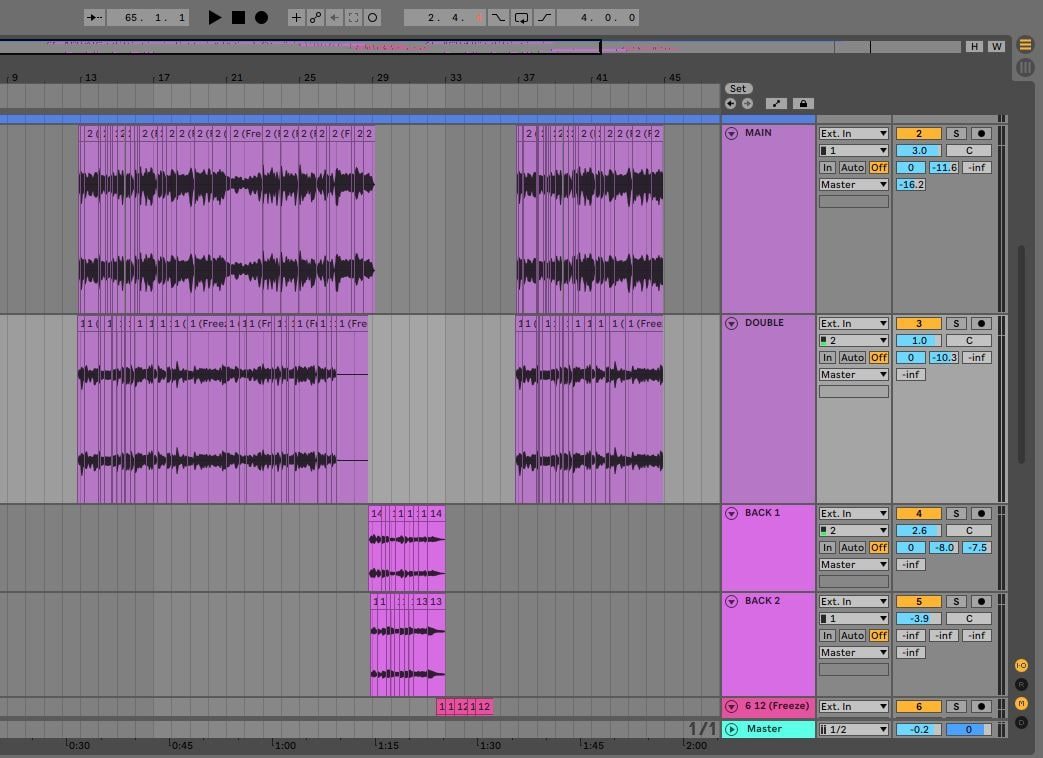
Once the timing is fixed, you can move on to the off-pitch notes. Sometimes Auto-Tune fixes inaccurate notes easily, but more often the vocal has to be tuned by hand in Melodyne, fixing every problem in the performance with surgical precision.
- We tune doubles to the same notes as the lead, and with backing vocals we make sure the notes fit the key of the song.
- We don't recommend extreme Auto-Tune settings on backs: heavy over-tuning makes the stack sound too electronic and narrows the stereo image.
- Be very careful with vocals sung with distortion, grit or growl. Auto-Tune and Melodyne often get the pitch of a voice like that wrong, so keep an eye on what they're doing.
If you can't tune a vocal cleanly, EQ sometimes saves the day. With the low mids (up to 300 Hz) cut from a voice, the ear stops reading its pitch so precisely. Cutting the low end from off-pitch backs can make them sound acceptable, but it's nothing more than a compromise.
In modern R&B and hip-hop Auto-Tune has long been the standard, but often it isn't enough for a signature sound. The algorithm is pretty intuitive: it pulls the sound to the nearest note in the key. If the artist is way off the right note, Auto-Tune won't pull it there. Well, it will, just to the wrong note. That's where good old Melodyne comes in, which we put before Auto-Tune in the chain: in Melodyne we fix the notes that went way off by hand, leaving the ones Auto-Tune will handle later. Nothing special, but it speeds the work up a lot.
Step 3: sibilants
Once, listening to Charlie Puth's album Voicenotes, we noticed how soft and smooth the backing vocals sat under the lead. Of course he sang them perfectly in time and in tune, but there was one more detail we hadn't caught on a casual listen: his backs had no harsh consonants at all.
After that we started cutting almost all the sibilants out of backing vocals, and the backs in our tracks immediately got much softer. There are two ways to do it:
- for the hardcore: cut every consonant out by hand;
- for everyone else: set a de-esser aggressively on each backing vocal track, with the detection frequency pulled down to 4 kHz.
Russian lyrics make it harder
When we did a cover and breakdown of Lil Nas X's "Montero", we noticed something interesting: the hook has no sibilants at all, and the verses have very few. Russian is packed with consonants and sibilants, so we often have to fight them with a long chain of de-essers and manual volume automation on the harsh spots. Even then it won't sound as soft and smooth as a song without harsh, frequent consonants.
Above all, do no harm
Most of the time all of this works great, but some tracks have backs whose raw sound really brings out the artist's vision. So keep the demo at hand and A/B before and after every serious move.
By the way, we don't make artificial doubles by copying a track or with Revoice Pro: a doubler or chorus on a send works better, which is why that technique is F in our tier list. For an example of our work with vocal stacks, see Dima Bilan's "Пообещай" (Poobeshchay): Pavel recorded backing vocals and vocal stacks for it, which were then blended with Dima's own backs.
FAQ
How do I make backing vocals softer?
We take the sibilants out of the backs, by hand or with an aggressive de-esser on every track with the detection frequency around 4 kHz. Recording a little further from the mic helps too: less sibilance gets in.
What's the difference between a double and a backing vocal?
A double repeats the lead vocal, so we tune it to the same notes as the lead. Backing vocals are additional voices, and when tuning them we make sure their notes sit in the key of the song.
What goes first: Melodyne or Auto-Tune?
Melodyne. Use it to fix the notes that are way off by hand, since Auto-Tune would pull them to the wrong note. Auto-Tune then handles the rest, and the work goes much faster.